Mac & Windows · Local-only · No subscription

Your photo library,
finally organized.

Foldiq scans any folder of photos and videos, reads the real EXIF date, and builds a clean folder structure automatically — with full undo if you change your mind.

Download for Mac Download for Windows See how it works

One-time $4.99 · Lifetime license · No subscription

Foldiq — Smart Hybrid Preview
Before
📁 Photos/
  IMG_4821.jpg
  IMG_4822.HEIC
  WhatsApp Image 2024…
  DSC_0001.NEF
  VID_20230615.mp4
  IMG_4821 copy.jpg ← dup
  misc backup final (2).zip
After
📁 Organized Media/
  📁 2024/
    📁 2024-08 August/
      📁 2024-08-14 Herndon VA/
        IMG_4821.jpg
        IMG_4822.HEIC
  📁 Duplicates/
    IMG_4821 copy.jpg
  📁 Videos/
    VID_20230615.mp4

Four steps from messy to organized

Foldiq never moves a single file until you've reviewed and confirmed every planned change.

1

Select your folder

Drag any folder — or multiple folders — onto Foldiq. It handles nested subfolders, ZIP archives, and every common media format.

2

Foldiq scans & analyzes

It reads the real EXIF capture date, GPS location, and filename for every file. Duplicates are detected using SHA-256 hashing.

3

Preview everything

A full table shows every planned file move — source, destination, date, size. Filter and inspect before anything changes.

4

Apply & undo anytime

Confirm and Foldiq reorganizes your library. Every run creates an undo manifest — one click restores everything.

Every step, built for clarity

From scan to report — you see exactly what's happening at every stage.
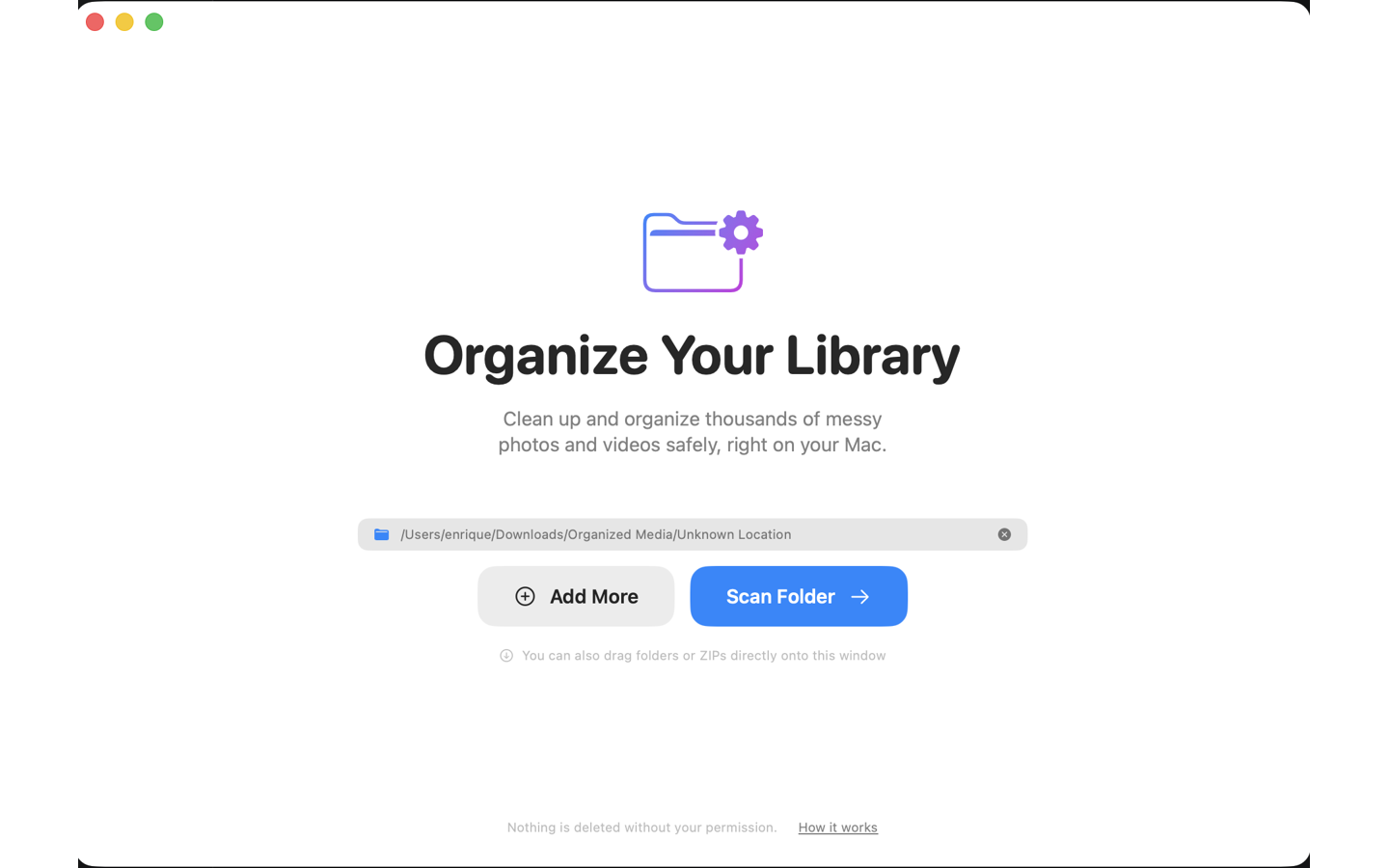
Foldiq — Select your folder to organize
① Select a folder — or drag it straight onto the window
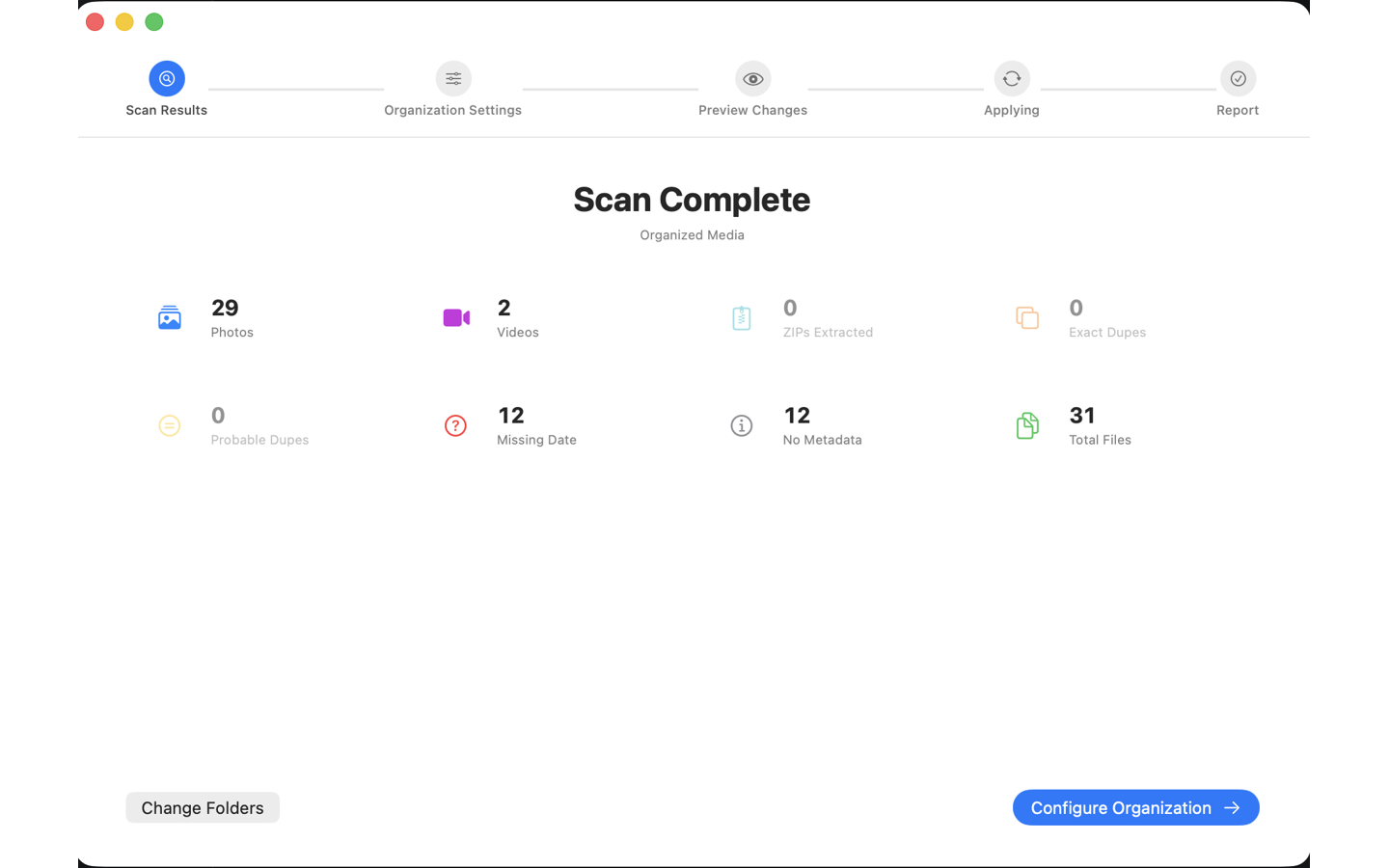
Foldiq — Scan Complete with file stats
② Scan results — photos, videos, duplicates, and missing dates at a glance
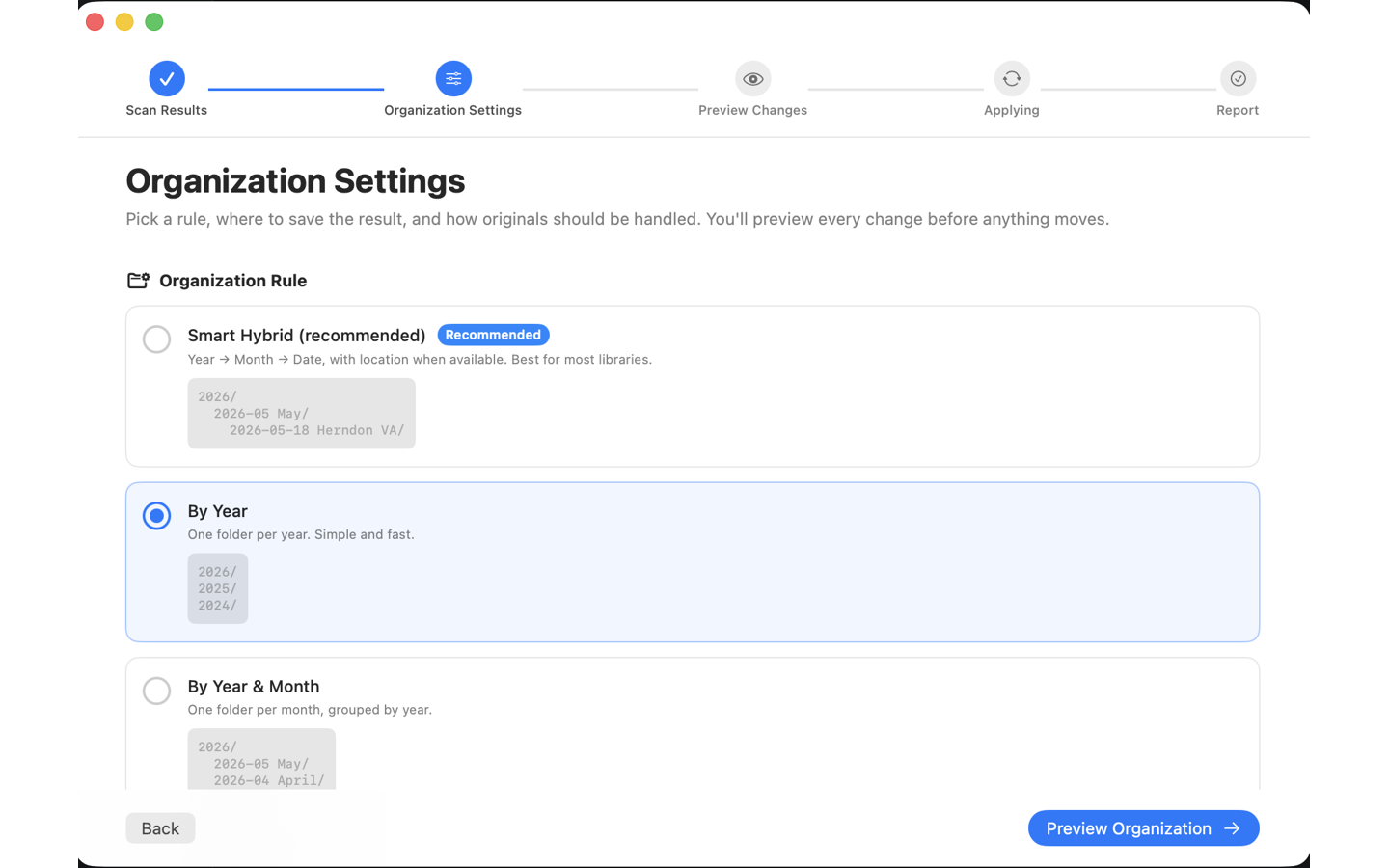
Foldiq — Organization Settings
③ Pick your folder structure — Smart Hybrid, By Year, Month, or Exact Date
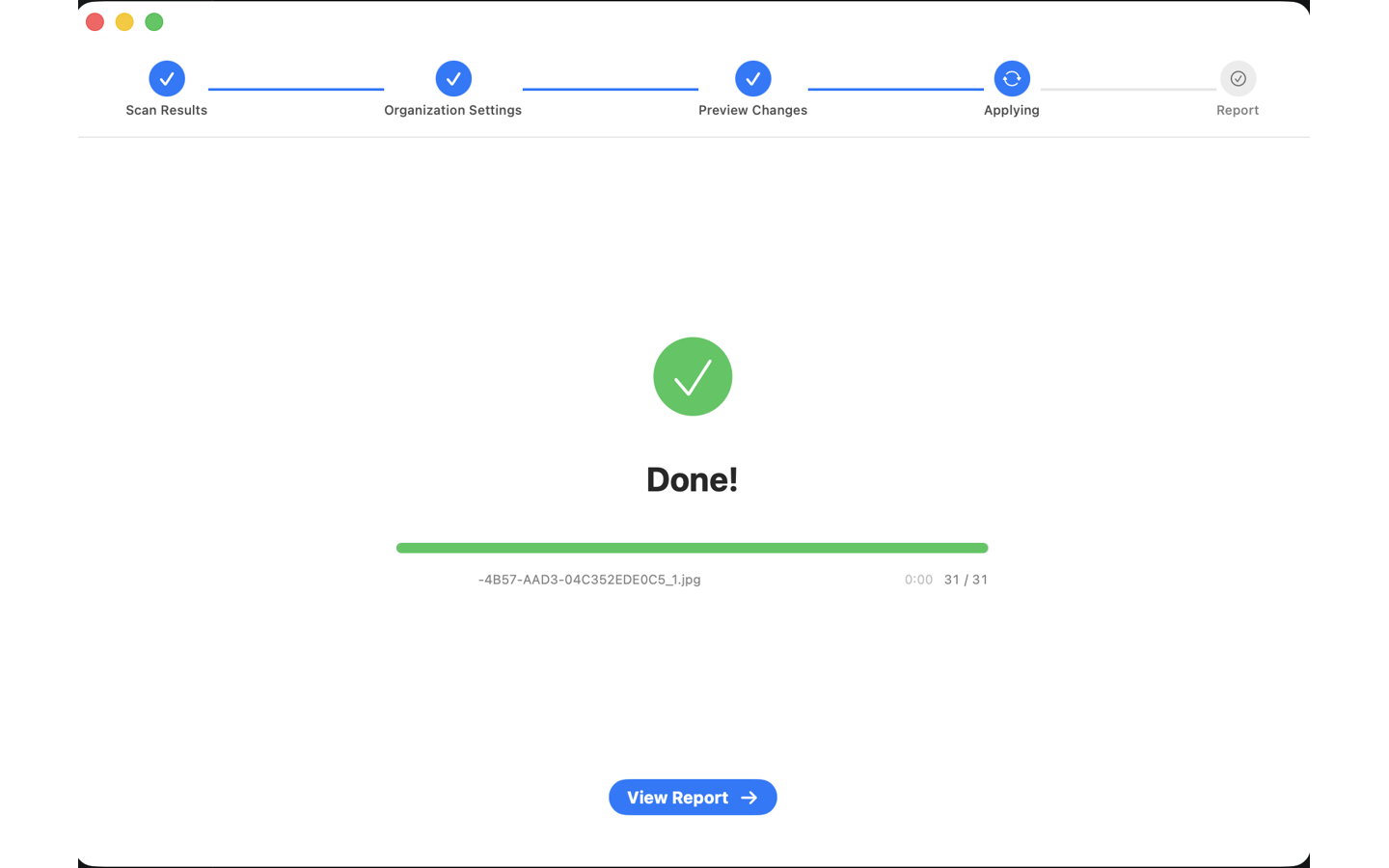
Foldiq — Done!
④ Foldiq moves your files — live progress, file by file
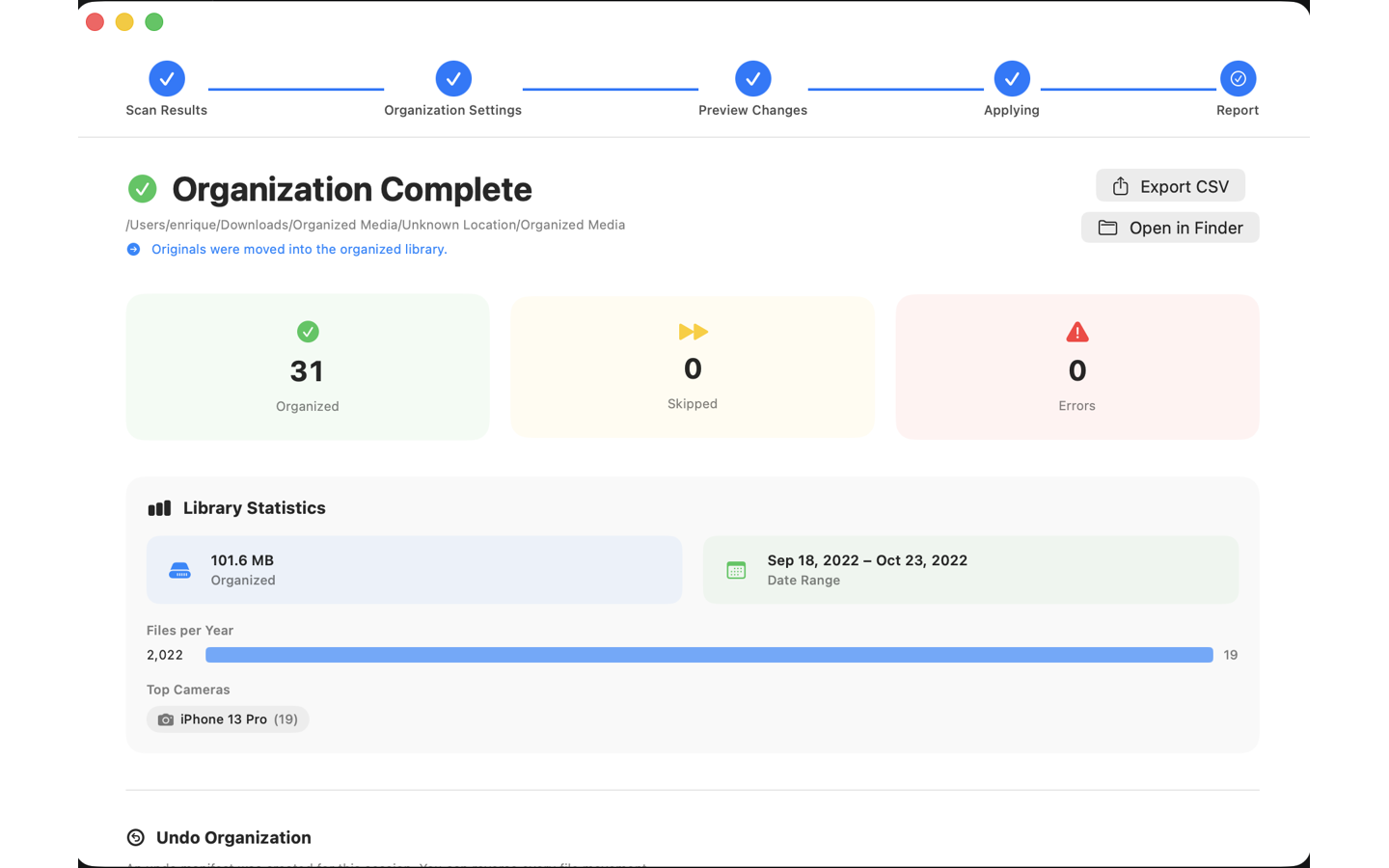
Foldiq — Organization Complete
⑤ Report — stats, camera breakdown, and one-click undo

← Scroll to see all screens →

Built for real photo libraries

Whether you have 500 photos or 50,000, Foldiq handles it safely.

📅

EXIF-accurate dates

Foldiq reads the real capture date from metadata — not the file creation date. Photos shared via WhatsApp or Telegram stay in true chronological order.

🔍

Duplicate detection

Exact duplicates are found via SHA-256 hashing. Probable duplicates — same name, similar size, close timestamp — are flagged separately so you decide what to keep.

↩️

Full undo, always

Every organization run writes a complete undo manifest. Change your mind days later — one click moves every file back to its exact original location.

📂

Multiple folders at once

Select several source folders in one scan. Foldiq merges and organizes them together, removing duplicates across all sources.

🗜️

ZIP archive support

Drop in a ZIP backup and Foldiq extracts it on the fly, organizing the contents alongside your other media as if they were never compressed.

🌍

GPS location folders

In Smart Hybrid mode, Foldiq adds the city and state to folder names when GPS data is available — so you can browse by place, not just date.

Pick how you want your library structured

Choose the folder depth that fits your style — from simple yearly buckets to a full date + location hierarchy.

⭐ Smart Hybrid (recommended)
2026/
  2026-05 May/
    2026-05-18 Herndon VA/
      IMG_4821.jpg
      IMG_4822.HEIC
By Year
2026/
  IMG_4821.jpg
2025/
  DSC_0001.NEF
2024/
  IMG_0042.jpg
By Year & Month
2026/
  2026-05 May/
    IMG_4821.jpg
  2026-04 April/
    DSC_0001.NEF
By Exact Date
2026/
  2026-05 May/
    2026-05-18/
      IMG_4821.jpg
    2026-05-19/
      IMG_4822.HEIC
🔒

100% local. Your photos never leave your computer.

Foldiq has zero network connections. No accounts, no cloud uploads, no analytics, no telemetry. Everything runs entirely on your own device — whether you're on Mac or Windows.

No internet access No account required No data collected No subscription

Works with every format in your camera roll

JPG / JPEG
HEIC
PNG
TIFF
CR2
NEF
ARW
DNG
MOV
MP4
M4V
ZIP

Frequently asked questions

Will Foldiq delete or change my original photos?

No. Foldiq only moves and organizes your files into folders — it never edits or deletes the photos themselves. You see a complete preview of every planned change before anything happens, and a one-click undo restores everything to its original location.

Does it work on both Mac and Windows?

Yes. There's a native app for both macOS (14 Sonoma or later, Apple Silicon & Intel) and Windows 10/11 64-bit. Just pick your platform on the download button.

Is it a one-time payment or a subscription?

A single one-time payment of $4.99 — no subscription, no recurring fees. You get a lifetime license with all future updates included.

Do my photos get uploaded anywhere?

Never. Foldiq makes zero network connections — no accounts, no cloud uploads, no analytics. All processing happens entirely on your own computer, so your photos never leave your device.

Which formats does it support?

Photos (JPG, HEIC, PNG, TIFF), RAW files (CR2, NEF, ARW, DNG), and videos (MOV, MP4, M4V). Foldiq can also read media inside ZIP archives.

How does Foldiq decide where files go?

It reads each file's real capture date from its EXIF metadata (falling back to the filename or file date when needed) and builds a clean, dated folder structure. You choose the organization style, review the full plan, and confirm before any file moves.

Ready to clean up your library?

One-time purchase · No subscription · Yours forever.

✓ One-time payment  ·  ✓ Lifetime license  ·  ✓ No subscription

macOS 14 Sonoma or later · Apple Silicon & Intel · Secure checkout by Stripe